About This Documentation
The assimilation process enables Hammerspace to serve and manage data without the need to first physically relocate it. Hammerspace achieves this by separating a typical data migration into two parts:
-
Assimilation
-
Data Orchestration
In this document, we will discuss the basic components of an assimilation, and provide a high-level overview of what you should expect when migrating data and your clients to Hammerspace.
An assimilation is the ingest of all existing file and folder metadata that is required to serve data using the new Hammerspace global namespace. The following diagram outlines this process of metadata being imported into the Hammerspace Anvil metadata server.
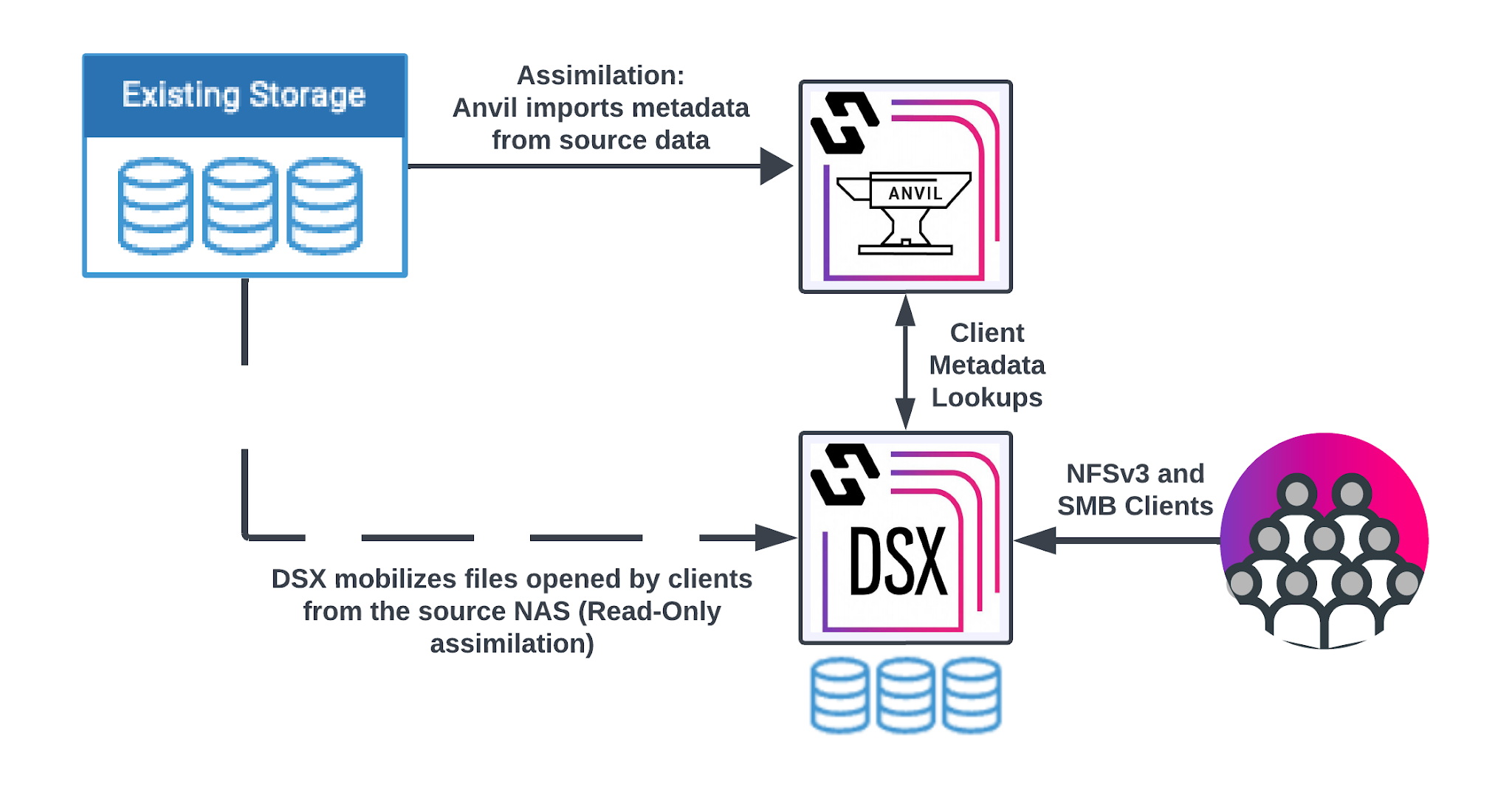
Assimilation is on-demand and a background operation. Once the root of the source volume is assimilated, users can begin to access the data using Hammerspace. If a user happens to navigate to a file or folder that hasn’t yet been assimilated, Hammerspace will assimilate that folder or file on demand and provide immediate access.
Assimilation can be used to combine many different sources (exports, volumes, different vendors) and combine them into a new namespace. The namespace is not stitched or symlinked together, but rather represented as a new share using Hammerspace. Additionally, traditional data services such as snapshots, clones, tiering, archiving and data replication are now managed using Hammerspace functionality.
For support resources, see the Hammerspace Support Hub and the Hammerspace Licensing and Delivery Portal.
|
Do not install additional or third-party software, agents, or packages directly on Hammerspace Anvil (metadata) or DSX (data) nodes. These nodes run a managed appliance software stack; anything installed outside that stack is unsupported and is removed during a software upgrade. Such software can also interfere with node operation. If you need monitoring or integration with an external tool, contact Hammerspace Support for a supported approach. |