Troubleshooting
This section contains troubleshooting help for adding and configuring storage systems and volumes.
Permission Denied When Adding Isilon Storage System
Adding storage volumes from an Isilon storage system gives a permission denied error message in the wizard or on the CLI.
If the UID mapping is set incorrectly or overlooked as part of configuring the Isilon export for use with Hammerspace, then the following error will show in the UI:
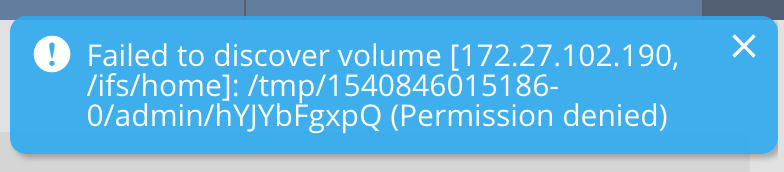
The following error message is shown in the CLI:
volume-add: Failed to discover volume [172.27.102.190, /ifs/home]: /tmp/1541116442901-0/admin/fYzUcgadEI (Permission denied)Solution
Go into the Isilon Administration Tool and correctly configure root client access for the Anvil and DSX nodes. It is available under NFS export settings.
Adding an Isilon Storage System in the GUI Silently Fails
When adding an Isilon storage system via the GUI, a brief progress bar appears and completes; however, nothing is added to the Storage Systems list. In the Tasks window, under progress, you see Failed.
Solution
Either the wrong admin credentials or the incorrect SNMP value has been used.
To view additional details available in the CLI, log in as the admin user and run the following command:
task-list
ID: fd3b3636-a8c6-4129-a38b-9c1a94f23e37
Name: node-add
Params: name: Isilon8.1; force: false; created-by: Uoid [uuid=6b439e52-3361-4db8-81e8-02cd898be011, objectType=USER]
Status: FAILED
Created: 2018-11-01 23:35:25 UTC
Started: 2018-11-01 23:35:26 UTC
Ended: 2018-11-01 23:35:38 UTC
Exit Value: Failed to get SNMP interfacestask-list
ID: fb8d5dd3-2c9b-4107-9d57-3c245bc534ae
Name: node-add
Params: name: Isilon; force: false; created-by: Uoid [uuid=6b439e52-3361-4db8-81e8-02cd898be011, objectType=USER]
Status: FAILED
Created: 2018-11-01 22:36:53 UTC
Started: 2018-11-01 22:36:53 UTC
Ended: 2018-11-01 22:36:56 UTC
Exit Value: failed to identify node. Please check that the node is available, and that the node's credentials/type are correct.task-list
ID: af69b73a-6ce9-48ec-b8b9-1e4889287862
Name: node-add
Params: name: Isilon8.1; force: false; created-by: Uoid [uuid=6b439e52-3361-4db8-81e8-02cd898be011, objectType=USER]
Status: FAILED
Created: 2018-11-01 23:41:28 UTC
Started: 2018-11-01 23:41:28 UTC
Ended: 2018-11-01 23:41:33 UTC
Exit Value: failed to identify node. please check the the node is available, and that the node's credentials/type are correctVolumes from the Added Storage System Are Not Visible
You have added a storage system, but cannot see the volume(s) on it.
Solution
Verify from the vendor management tools or a regular Linux client that the storage system is exporting the volumes.
Rescanning Storage Due to Newly Added Share or Export
You have added a share/export to your storage system after adding it to Hammerspace. How do you re-scan it?
Solution
A manual rescan is required for Hammerspace to detect new exports, shares, volumes or buckets in storage systems. Login into Hammerspace using the CLI and execute the following command:
node-refresh <-id | -name> --rescanThe output of the command lists all volumes discovered on the storage system.