Access Share Data Preserved by Versioning, Undelete, and Log-Xfer Objectives
Applies to: Hammerspace 5.2 and later.
Three objectives retain copies of files, either on their own or alongside share snapshots:
- Versioning
-
When a file is edited and saved, the previous version is kept.
- Undelete
-
Deleted files and folders can be recovered.
- Log-xfer
-
Used with global file shares. When the owning cluster of a file changes, the original version is kept. This is for files that change on several clusters at close to the same time.
The last cluster a file was saved or copied to owns it, and keeps ownership until the file is edited or overwritten on another participating cluster.
Each objective comes in four retention periods — one hour, one day, one week, or one month. If snapshots are also configured, the retained files appear in any snapshot taken while the objective held them. With an undelete-1-day objective and daily snapshots, for example, each snapshot contains that day’s deleted files for as long as the snapshot is kept.
| Unlike share snapshots, these objectives are not global. To have them active everywhere, apply them to the share on every global file share participant. |
Find the Preserved Files
Retained files sit in the share’s .snapshot/current folder, in the same relative location they occupied in the live file system. You can reach that folder from inside the share itself.
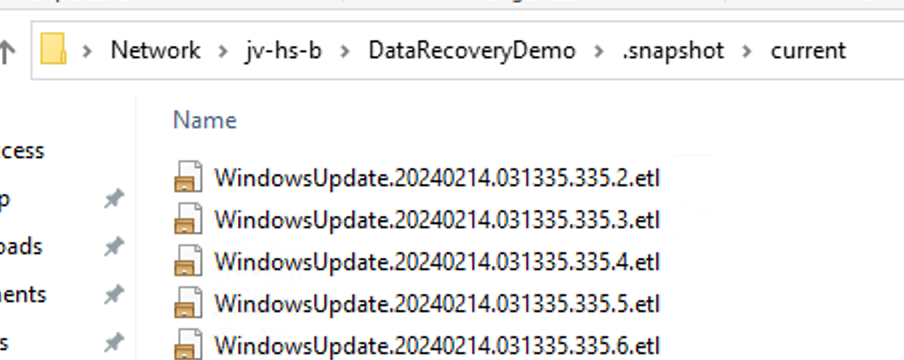
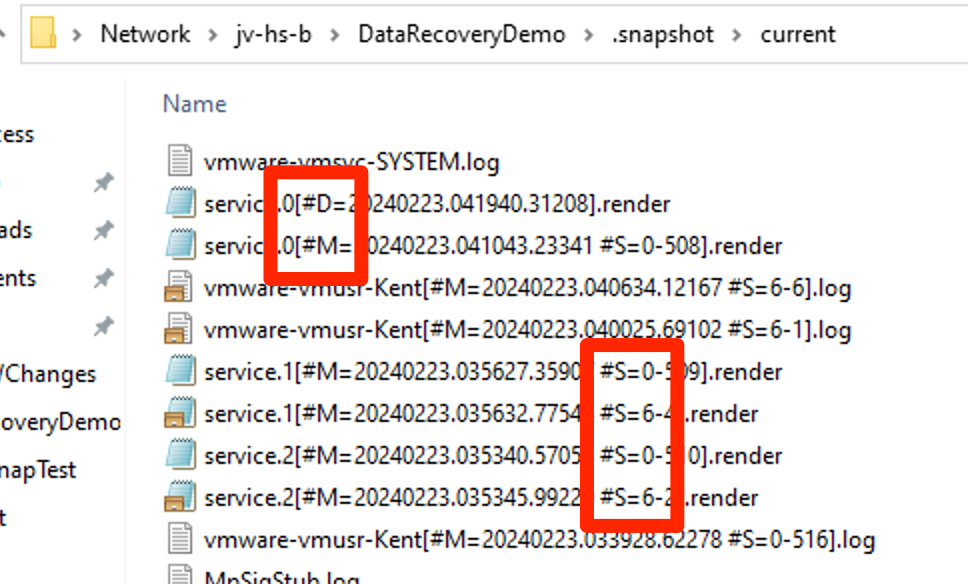
Each retained file’s name carries an identifying letter, a timestamp, and the participant ID of the cluster that retained it:
-
Versioning —
<filename>[#M=<YYYYMMDD.HHMMSS.SSSSS #S=n-nn>].<suffix> -
Undelete —
<filename>[#D=<YYYYMMDD.HHMMSS.SSSSS #S=n-nn>].<suffix> -
Log-xfer —
<filename>[#M=<YYYYMMDD.HHMMSS.SSSSS #S=n-nn>].<suffix>
Versioning and log-xfer share the letter M, and undelete uses D. To tell a versioned file from a log-xfer one, use the participant ID.
Identify a Cluster from Its Participant ID
Command:
share-list --name <share name>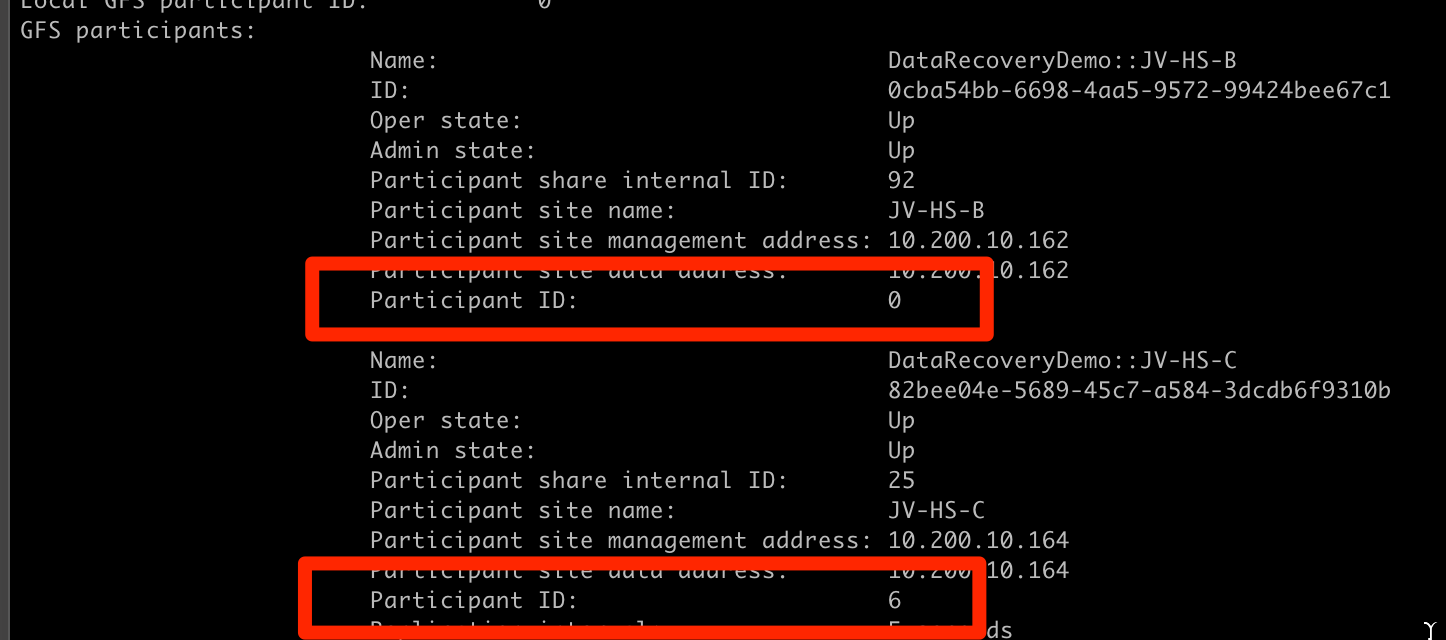
Files in .snapshot/current cannot be modified or deleted. To work with one, copy it somewhere else first.
|