A Hyper-V Node Loses Network Connectivity After a Reboot
Applies to: Hammerspace 5.2 and later.
Symptom
A cluster deployed on Microsoft Hyper-V shows one or more of these:
-
A node that was rebooted, reset, or power cycled is unreachable on the network, but appears to have finished booting.
-
A DSX node is stuck on the "Hammerspace node booting" screen, though the login screen is reachable with Alt+F2.
Cause
Hyper-V assigns virtual machines dynamic MAC addresses by default, so a node gets a new MAC address on every boot. Each time a network interface’s MAC address changes, the node treats it as a new interface — and a new interface has no IP address. The node loses its network connectivity.
Resolution
The steps below switch a virtual machine to static MAC addresses. They fix nodes that are not yet cluster members.
|
If this happens to nodes that are already part of a cluster, contact Hammerspace Support. They can help enable static MAC addresses and reconfigure the node network interfaces, and can sometimes recover the original MAC addresses so they can be set statically. |
-
For a new node, create the virtual machine and let it complete its first boot. Once it reaches the installation screen, power it off. For an existing node that has not yet joined a cluster, power it down.
-
In Hyper-V Manager, select the node and click Settings. Network settings cannot be changed while the virtual machine is running.
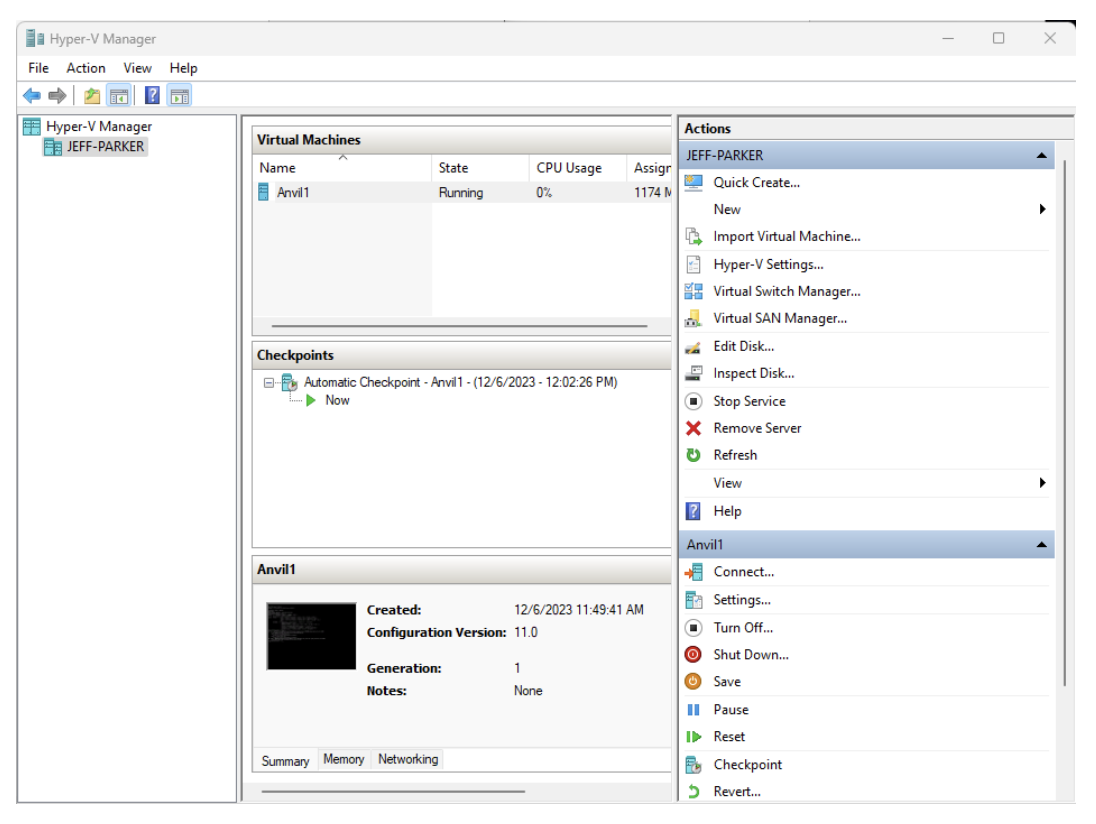 Figure 1. Selecting a virtual machine in Hyper-V Manager
 -
Go to . The MAC address is set to Dynamic, showing the address last assigned. Select Static and leave the address as it is.
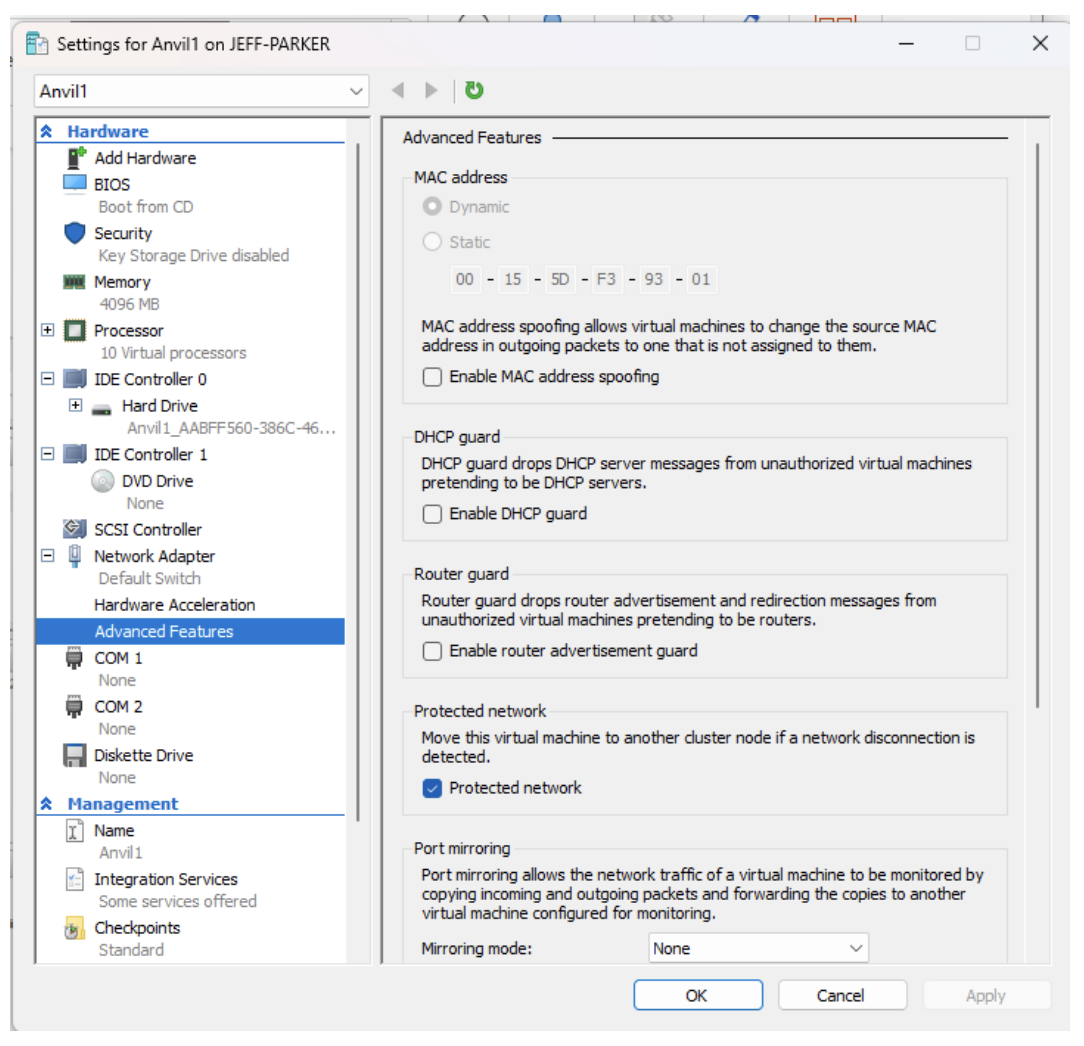 Figure 2. The Advanced Features page for a network adapter
 -
Select Enable MAC address spoofing. This is required for any bonds, because of how the node operating system handles them.
-
Repeat for every network adapter on every virtual machine in the cluster.