Restrict SMB Access to a Share
Applies to: Hammerspace 5.3 and later.
By default a share’s access control list grants Everyone full control, much as a Windows share does, and SMB clients may reach the share from any client IP address to any DSX static or floating portal IP address. File and folder permissions still determine what a user can do with the contents.
Turning off the SMB Browseable setting hides the share, but does not stop a client that knows the path from reaching it.
To actually block SMB access, add an access control entry to the share ACL that denies authenticated users.
|
Edit the Share ACL from Microsoft Management Console
To use the Shared Folders snap-in, you must be a member of the built-in Administrators group, and the cluster must be running 5.0.20-588 or later, or 5.1.18-262 or later. If it is not, use the icacls method instead.
-
Open Microsoft Management Console and choose .
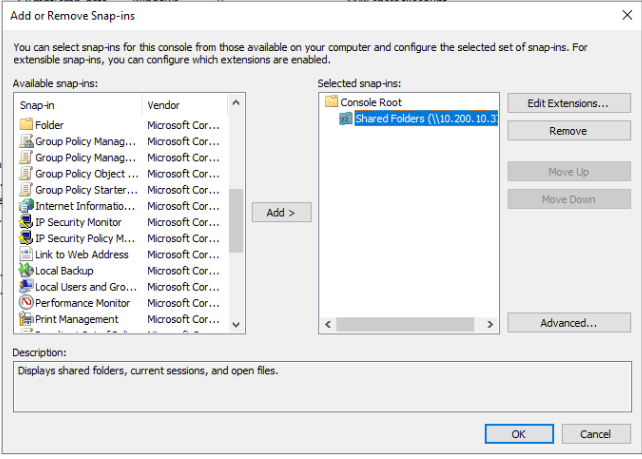 Figure 1. Adding a snap-in
 -
Add Shared Folders, select Another Computer, enter a DSX floating IP address or hostname, and click Finish.
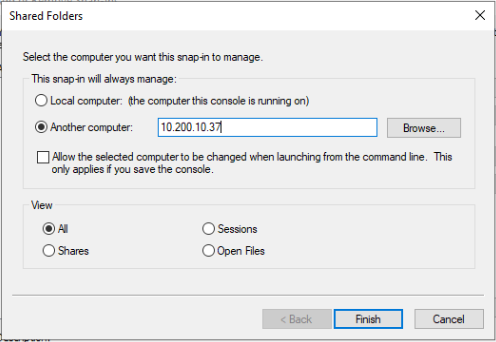 Figure 2. Pointing the snap-in at a DSX floating IP address
 -
Double-click Shares.
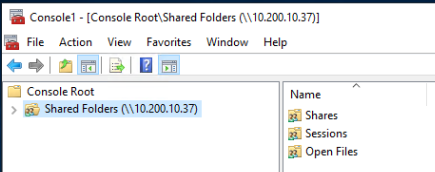 Figure 3. The Shares node
 -
Right-click the share and open the Share Permissions tab.
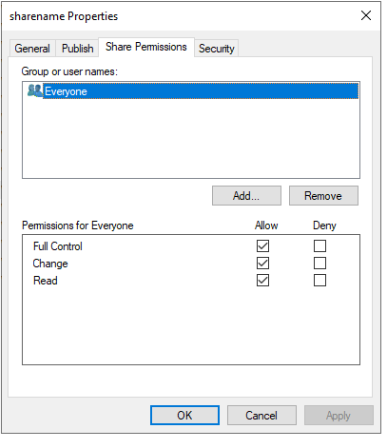 Figure 4. The Share Permissions tab
 -
Click Add, set the location to Entire Directory, add Authenticated Users, click Check Names, and click OK.
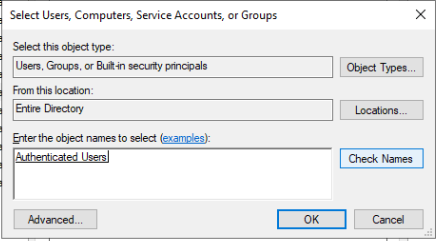 Figure 5. Adding Authenticated Users
 -
Select Deny for Full Control against Authenticated Users.
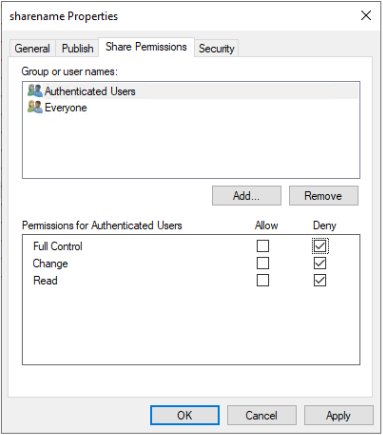 Figure 6. Denying full control to Authenticated Users
 -
Give Everyone the permissions the share needs — full control, in this example.
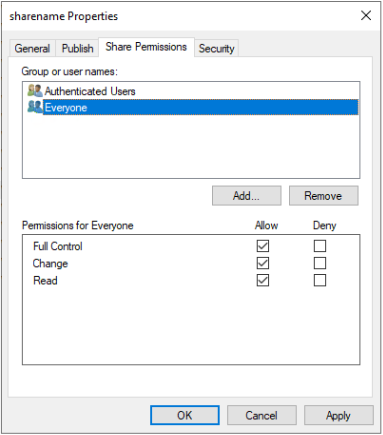 Figure 7. Setting the permissions for Everyone
 -
Click Apply and confirm with Yes.
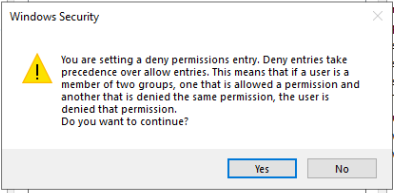 Figure 8. Confirming the change
| The current Microsoft plug-in does not display the deny entry correctly. Verify it separately, as described below. |
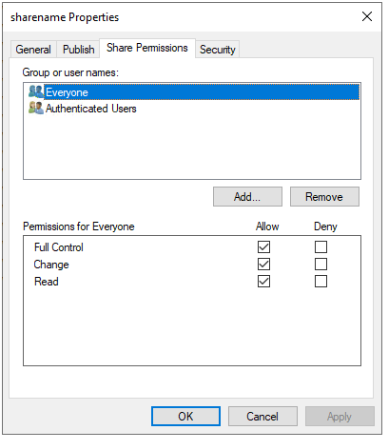
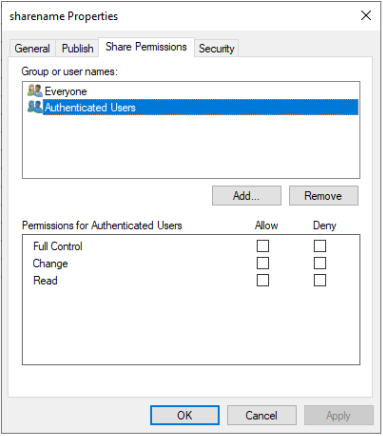
Display the real ACL from a Windows host using the UNC path to the share’s .share_attributes file:

Authenticated SMB users who are not administrators now see a permission denied error.
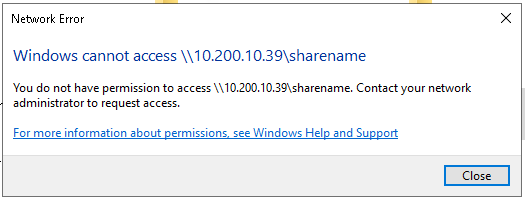
Edit the Share ACL with icacls
To use icacls, you must be a member of the built-in Administrators group, directly or through a group.
Show the current share ACL:
Command:
icacls \\<dsx-ip-address>\<share>\.share_attributesDeny authenticated users, using the well-known security identifier S-1-5-11:
Command:
icacls \\<dsx-ip-address>\<share>\.share_attributes /deny *S-1-5-11:FShow the result:
\\<dsx-ip-address>\<share>\.share_attributes
NT AUTHORITY\Authenticated Users: (DENY) (Rc, WDAC, S, RD, WD, AD, X, RA, WA)
Everyone: (F)
Successfully processed 1 files; Failed processing 0 files
Authenticated SMB users who are not administrators now see a permission denied error.