Parse File Audit Log Data with Elastic Logstash
Applies to: Hammerspace 5.2 and later.
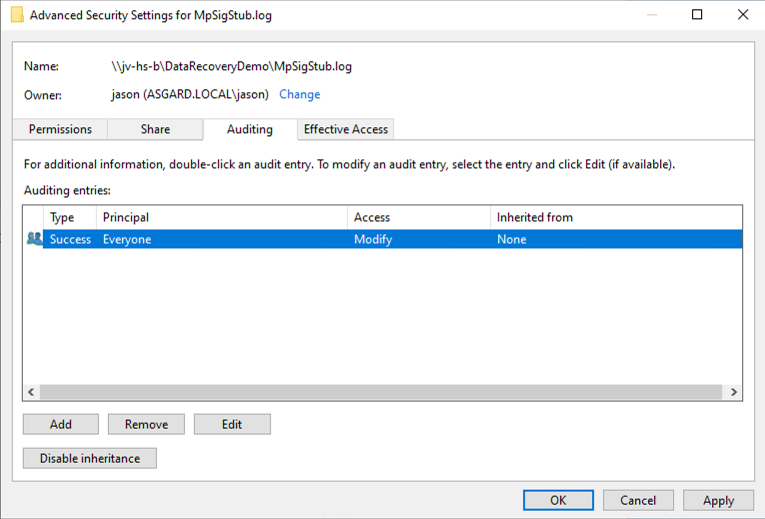
Hammerspace uses System Access Control Lists (SACLs) to log attempts to access a secured object. If SACLs were defined before you assimilated your data, they were imported along with the Discretionary Access Control Lists (DACLs), and you can add to or edit them afterwards.
Export Audit Data over Syslog
Configure a syslog server and enable forwarding from the CLI:
Command:
syslog-config --server 192.168.1.24,514,tcp,filesystem
syslog-enable
The --server value is a three- or four-part tuple: server, port, transport, and optionally the message types. The server may be an IP address or a resolvable hostname. Transport may be tcp, udp, or relp. Message types may be event, filesystem, or both separated by a vertical bar — event forwards system events, filesystem forwards file access audit records. The default is event|filesystem for TCP and UDP, and filesystem for RELP, which accepts nothing else. You can repeat --server to send to more than one destination.
Run either command with --help for the full syntax.
A raw, unparsed audit record looks like this:
<85>Feb 13 03:57:00 hs-anvil-1 filesystem AUDIT [audit_access='a'
audit_access_type='SUCCESSFUL_ACCESS'] [share='test' path='./'] [op='GETATTR']
by [uid='S-1-5-21-3542313152-161972221-2563593081-1000', gid='G-0']
at ['Wed 2024-02-13 03:57:00 UTC'] from [client=4]| Audit only the events you actually need, on only the data that needs it. Collecting file system audit logs adds overhead. |
Download the Logstash Configuration File
Hammerspace publishes a sample Logstash configuration that parses the syslog stream into something Elasticsearch can index and search, and matches security identifiers to user names. It is available from the hs-docker-elk repository on GitHub.
|
The configuration file is provided as is. It has been tested with Hammerspace 5.0.x releases, but a future release may change the syslog format and stop the parser working. If that happens:
|