Obtain Cluster License Keys
Applies to: Hammerspace 5.2 and later.
Cluster license keys come from the Hammerspace Licensing and Delivery Portal.
Sign in at https://hammerspace.flexnetoperations.com/flexnet/operationsportal/downloadPackageVersions.action?lineId=Hammerspace&orgId=Hammerspace, then choose .
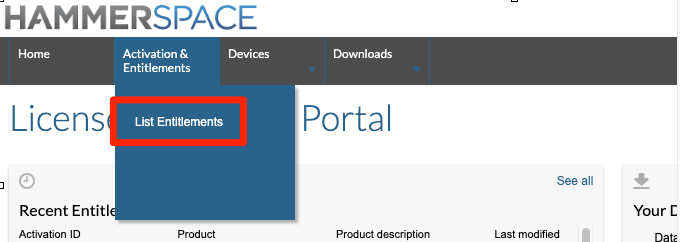
Figure 1. The Activation and Entitlements menu
Your license keys are in the first column of the List Entitlements page.
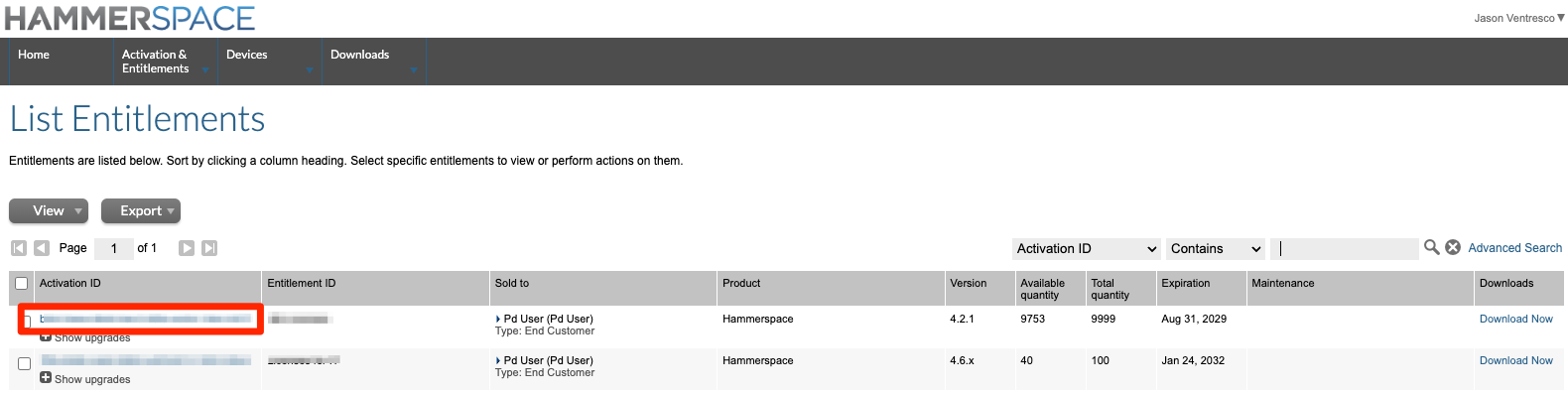
Figure 2. License keys on the List Entitlements page
In most cases the same key is used on all of your clusters, and it keeps working across a major version upgrade — moving from 4.x to 5.x, for example.
Contact Hammerspace Support if you are a customer without a portal login, if the List Entitlements page is empty, or if an expiration date does not match your purchase agreement.