Put a Node into Maintenance Mode
Applies to: Hammerspace 5.3 and later.
You may need to take a single node offline to upgrade hardware, or to do maintenance on a virtual machine host. The steps differ depending on whether the node is a DSX node, the standby Anvil, or the active Anvil.
|
Take a DSX Node or the Standby Anvil Offline
-
Connect to the cluster over SSH with an administrative account.
-
List the nodes.
Command:
node-list -
Put the node into maintenance mode.
Command:
node-mode-change --name jp-ny-anvil-1.asgard.local --mode MAINTENANCEName: jp-ny-anvil-1.asgard.local Node state: MANAGED Node mode: MAINTENANCE Management IP: 10.200.10.65/24 SW version: 5.0.1-390The GUI also shows the node in maintenance mode, and the cluster as degraded.
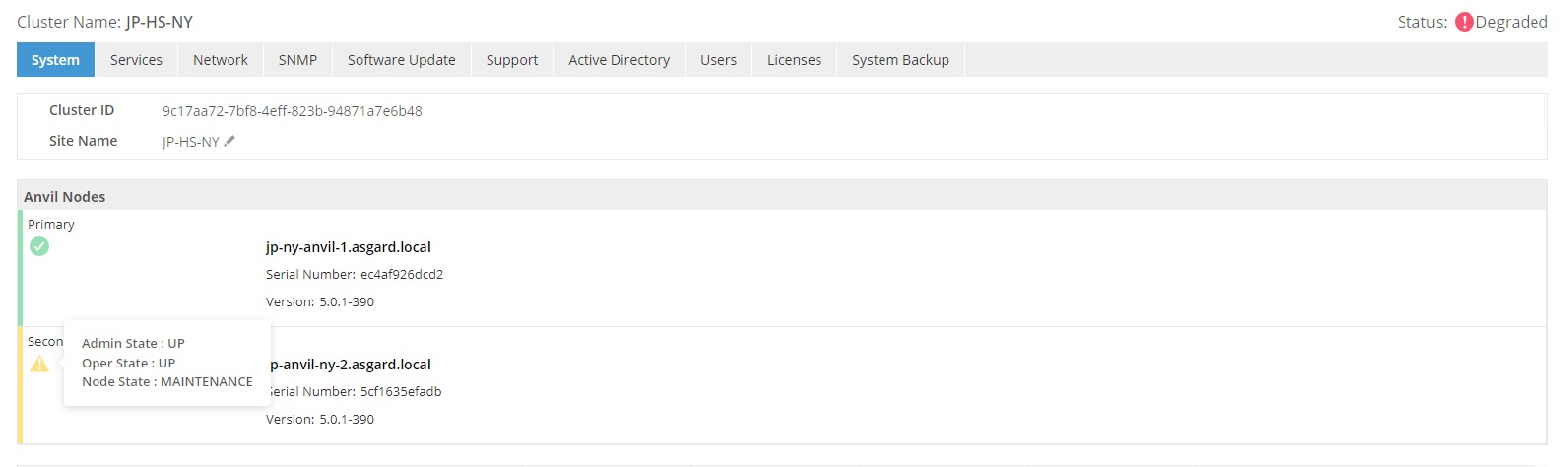 Figure 1. The node in maintenance mode as shown in the GUI
 -
Power the node off.
Command:
node-mode-change --name jp-ny-anvil-1.asgard.local --mode POWEROFF
You can now do the maintenance.
Take the Active Anvil Offline
Put the active Anvil into maintenance mode and let the standby take over first.
The simplest sign that the failover has begun is your SSH session dropping — the admin account can only sign in to the management IP address of the current primary Anvil. Reconnect to the cluster management IP address and you are redirected to the new primary. From there you can shut down what is now the secondary.
-
Put the node into maintenance mode.
Command:
node-mode-change --name jp-ny-anvil-2.asgard.local --mode MAINTENANCE -
Confirm it.
Command:
node-list -
Power it off.
Command:
node-mode-change --name jp-ny-anvil-2.asgard.local --mode POWEROFF
Bring a Node Back Online
Power the node up, then confirm it has rejoined.
On a virtual machine, watch the console until the online splash screen appears. Physical nodes show a similar screen.
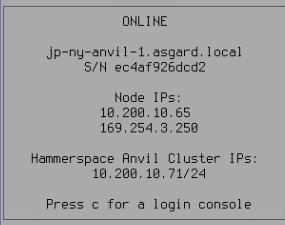
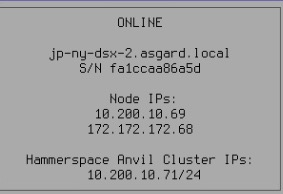
In the GUI, open and check that the node’s admin state and operational state are UP, and its node state is ONLINE.
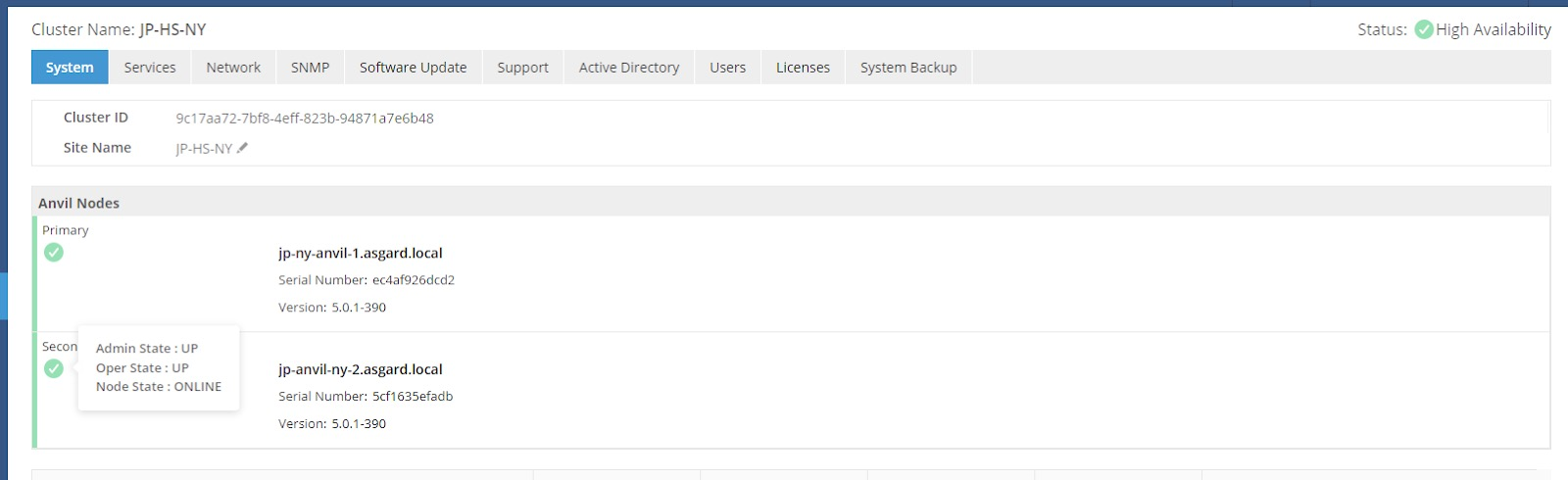
You can confirm the same thing from the CLI.
Command:
cluster-viewWhile a node is down, the cluster reports as degraded:
Name: JP-HS-NY
State: Degraded
Management IPs: [10.200.10.71/24]
Once it is back:
Name: JP-HS-NY
State: High Availability
Management IPs: [10.200.10.71/24]
Run any CLI command with --help for its full syntax.
|