Data Management
The Hammerspace product enables the protection and availability of share data using objectives. Objectives are the policies that enable granular control over data placement, retention, versioning, and many other parts of the data lifecycle. Objectives can be applied to shares, directories, or files.
-
Data availability and protection objectives: These objectives allow admins to specify the desired levels of data availability and durability. Each storage volume is assigned an availability and durability value. The system will place data on volumes that meet those values or create multiple file instances to meet the requested number of nines.
-
File versioning, undelete, and site versioning objectives: These objectives provide more granular control over data recoverability. They use the same methods as Product snapshots but are applied as an objective rather than a share option.
-
Anti-virus scanning objectives: The Product can scan files for viruses, preventing infected files from being opened.
-
Access-based enumeration: This objective hides files and folders that users do not have permission to access.
The Product supports a few kinds of objectives, which enable increasingly granular orchestration of data:
-
Default objectives are automatically applied to shares when new shares are created.
-
Predefined objectives are preconfigured in the Product and can quickly and easily be applied to your shares, directories, and files using the GUI.
-
Conditional objectives can be constructed using the GUI and combine the simplicity of the predefined objectives with the ability to selectively implement the objective.
-
Advanced objectives enable granularity and precision using advanced expressions.
Objectives can be applied using the GUI, CLI, and Hammerspace toolkit (hstk), which is available on GitHub. This section will cover applying objectives using the GUI and CLI. For more information about hstk, see the GitHub page: https://github.com/hammer-space/hstk.
Objectives can be applied at the share, directory, and file levels. The objective is evaluated the same way, regardless of which tool you use to apply it.
This section includes the following subsections:
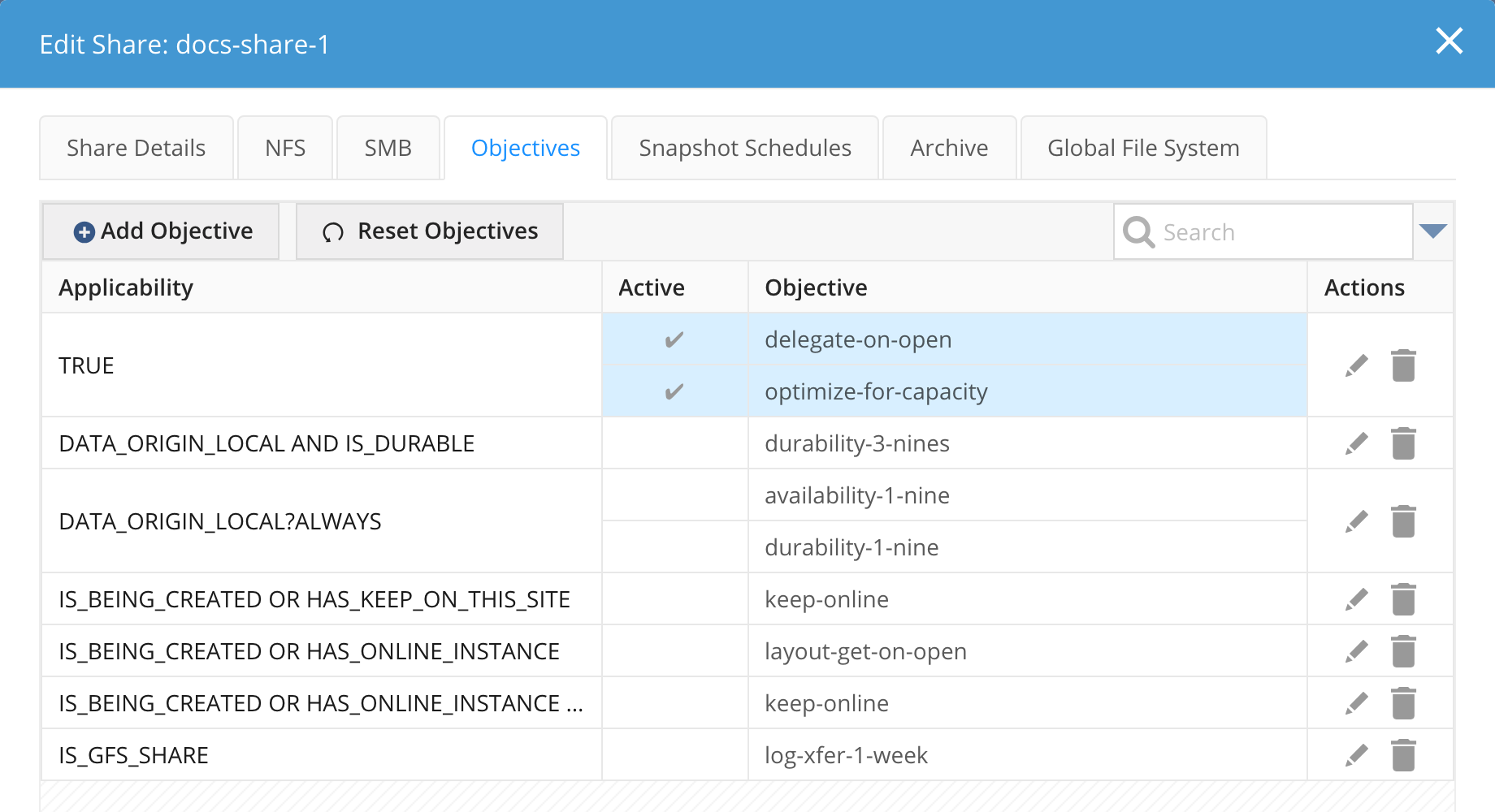
At the Share Level
When objectives are applied at the share level, i.e., they are applied during a share-create or share-edit operation, every file and directory in the share automatically inherits the objective(s) of the share.
This can be especially important for objectives that deliver solutions for WORM, Anti-virus scanning, Access-based enumeration, versioning, and undelete. When objectives are applied at the share-level, with the applicability of Always, it ensures that the objectives are always evaluated when appropriate.
At the Directory Level
When compared to share-level objectives, directory-level objectives can appear very similar; however, there is a major distinction: a directory-level objective can be removed farther down in the directory tree. This would make it potentially unsuitable for operations such as WORM or virus scanning.
Directory objectives offer the most flexible data management ability in the system. They can be applied to any directory and, by default, all the data below that directory will inherit the directory objective. Since they can be applied using the Hammerspace toolkit, hstk, end-users can self-manage their data and directly impact where data is placed.
Directory objectives can also be applied at the root of the share (on /), assuming the user has the appropriate permission to modify the root of the share. It is not recommended to apply objectives at the root of a share (for manageability reasons). Instead, use share-level objectives to achieve exactly the same results.
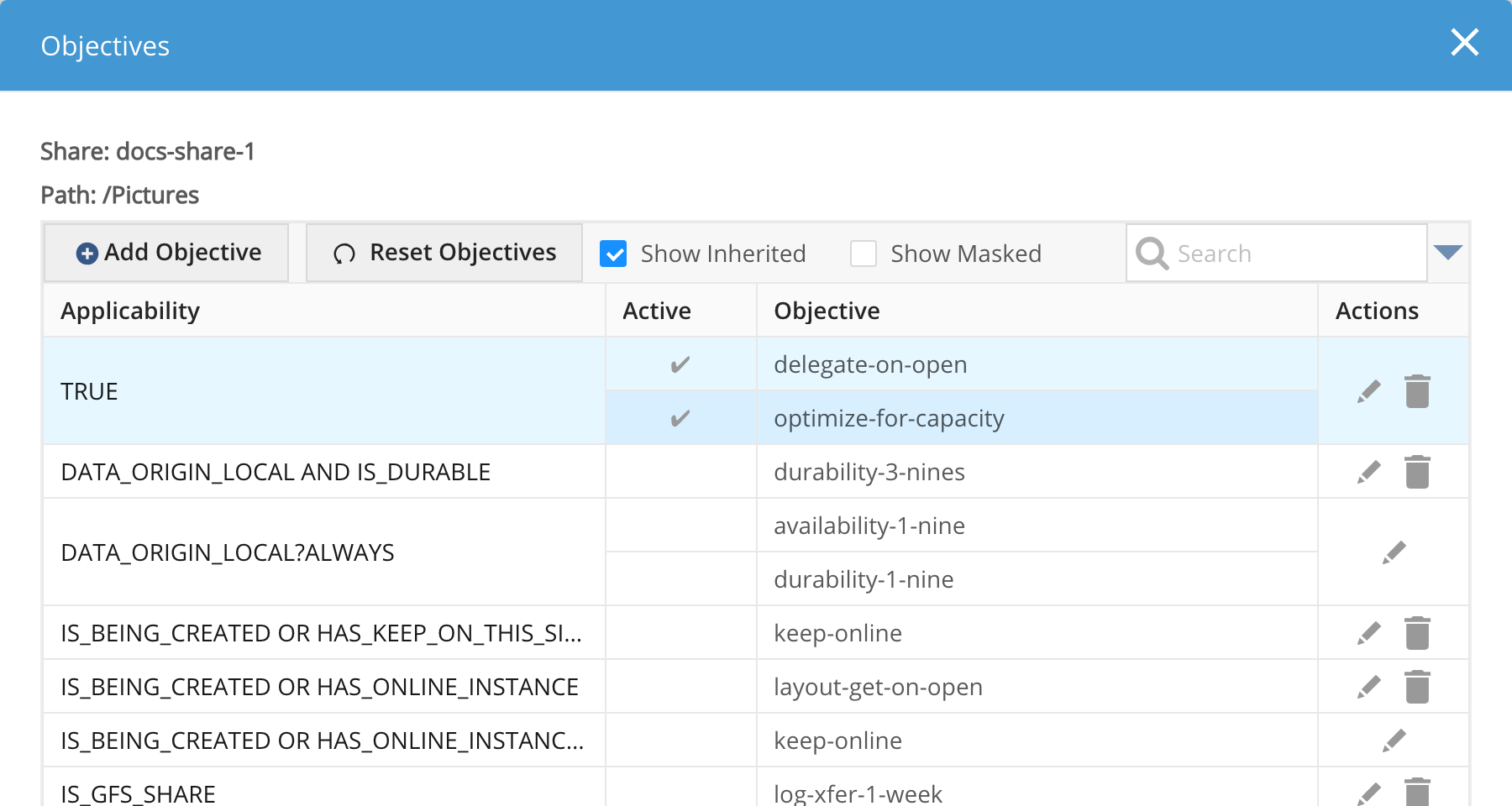
You can edit objectives for a directory by navigating to a share > <share-name>, selecting the Files tab, then clicking the edit icon for the directory in the Applied Objectives column.