Adding Local Management User Using the GUI
| Local management users are not required when using the enterprise sign-on feature. |
Complete the following steps in the Management GUI to add a local management user:
-
Select .
-
Click Create User.
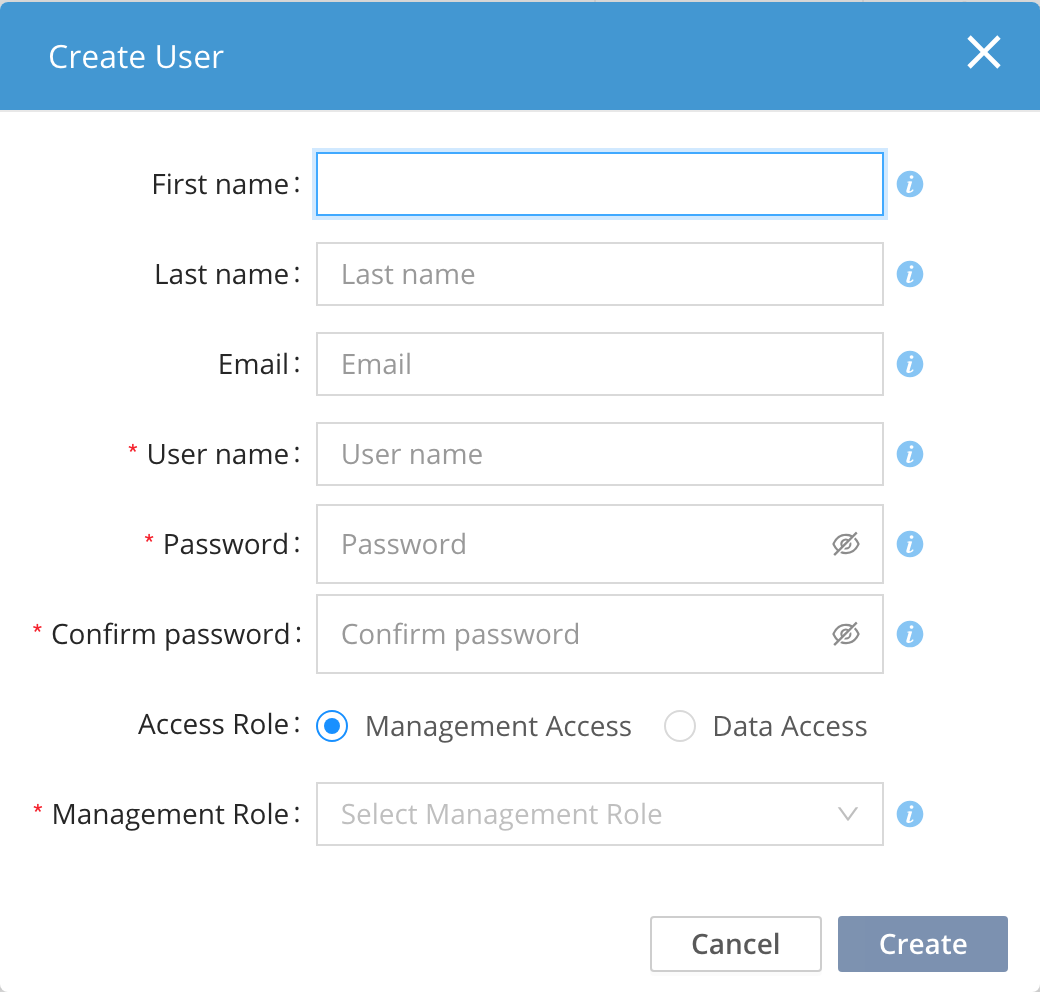 Figure 1. Entering information for a new management user
 -
Enter the following information for the user:
Table 1. New user details Information required for new, local management user
First name
First name of the user
Last name
Last name of the user
Email
The Product will send alerts and notifications to this address. To enable email notifications, the SMTP server must be configured using the CLI.
User name
Username
Password
Passwords must be 8-20 characters long and contain at least one of each: lowercase letter, uppercase letter, digit, and non-alpha numeric.
Confirm password
Enter the password again.
Access Role
Select Management Access.
Management Role
Select the desired role.
-
Click Create.