Changing the Directory Services Resolution Order
Hammerspace resolves unqualified user and group names against the LDAP name services in the configured order. By default, the order is the order in which the name services were added; when you remove a name service, the ones after it move up. You can change the order at any time. The change is distributed to the Anvils like any other configuration change.
| See Best Practices for guidance on choosing an effective resolution order. |
Using the GUI
-
Go to and click Resolution Order. The Update Resolution Order dialog lists the configured directory services.
-
Select a name service and use the arrow buttons to move it up or down.
-
Click Update.
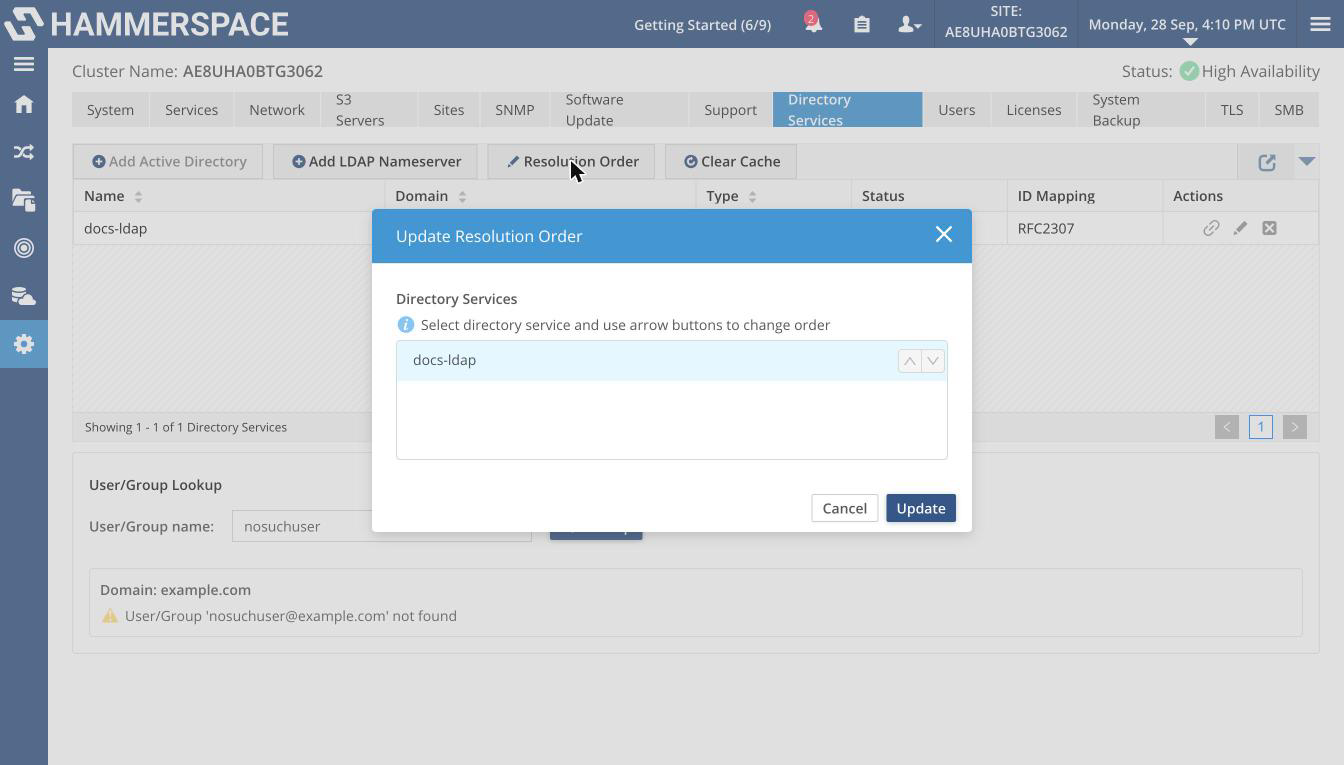 Figure 1. The Update Resolution Order dialog
The button is available only when at least one LDAP name service is configured.
Using the Admin CLI
First, list the configured name services to get their names, UUIDs, or internal IDs:
name-service-config --listExpected output:
total 2
ID:                      c01613ab-b84c-422b-bd04-c0ab15fb0ce9
Internal ID:             59
Name:                    docs-ldap
Type:                    LDAP
Domain:                  example.com
Resolution order:        0
Oper state:              Up
Addresses:               [192.0.2.33:389]
Transport mode:          STARTTLS
Schema:                  RFC2307
Search base:             dc=example,dc=com

ID:                      772eff01-f9c3-4c06-92a9-3ab0be347e97
Internal ID:             60
Name:                    docs-ldap-2
Type:                    LDAP
Domain:                  example.org
Resolution order:        1
Oper state:              Up
Addresses:               [192.0.2.33:389]
Transport mode:          STARTTLS
Schema:                  RFC2307
Search base:             dc=example,dc=org
Set the order by name (comma-separated, no spaces):
name-service-config --resolution-order <first-name>,<second-name>,<third-name>Expected output (the list in its new order):
ID:                      772eff01-f9c3-4c06-92a9-3ab0be347e97
Internal ID:             60
Name:                    docs-ldap-2
Type:                    LDAP
Domain:                  example.org
Resolution order:        0
Oper state:              Up
Addresses:               [192.0.2.33:389]
Transport mode:          STARTTLS
Schema:                  RFC2307
Search base:             dc=example,dc=org

ID:                      c01613ab-b84c-422b-bd04-c0ab15fb0ce9
Internal ID:             59
Name:                    docs-ldap
Type:                    LDAP
Domain:                  example.com
Resolution order:        1
Oper state:              Up
Addresses:               [192.0.2.33:389]
Transport mode:          STARTTLS
Schema:                  RFC2307
Search base:             dc=example,dc=com
Set the order by internal ID:
name-service-config --resolution-order 2,1,3All identifiers in the list must be of the same type — names, UUIDs, or internal IDs; otherwise the command fails with All domain identifiers must be of the same type. Name services that you do not list are placed after the listed ones, in no guaranteed order, so list every name service when the order of all of them matters.