Viewing Configured Name Services and Resolution Order
Using the GUI
Go to . The table lists each configured directory service with its Name, Domain, Type (LDAP or AD), Status (UP or DOWN for an LDAP name service), and ID Mapping schema. To see the resolution order, click Resolution Order; the dialog lists the configured name services in the order they are queried. Click Cancel to close it without changes.
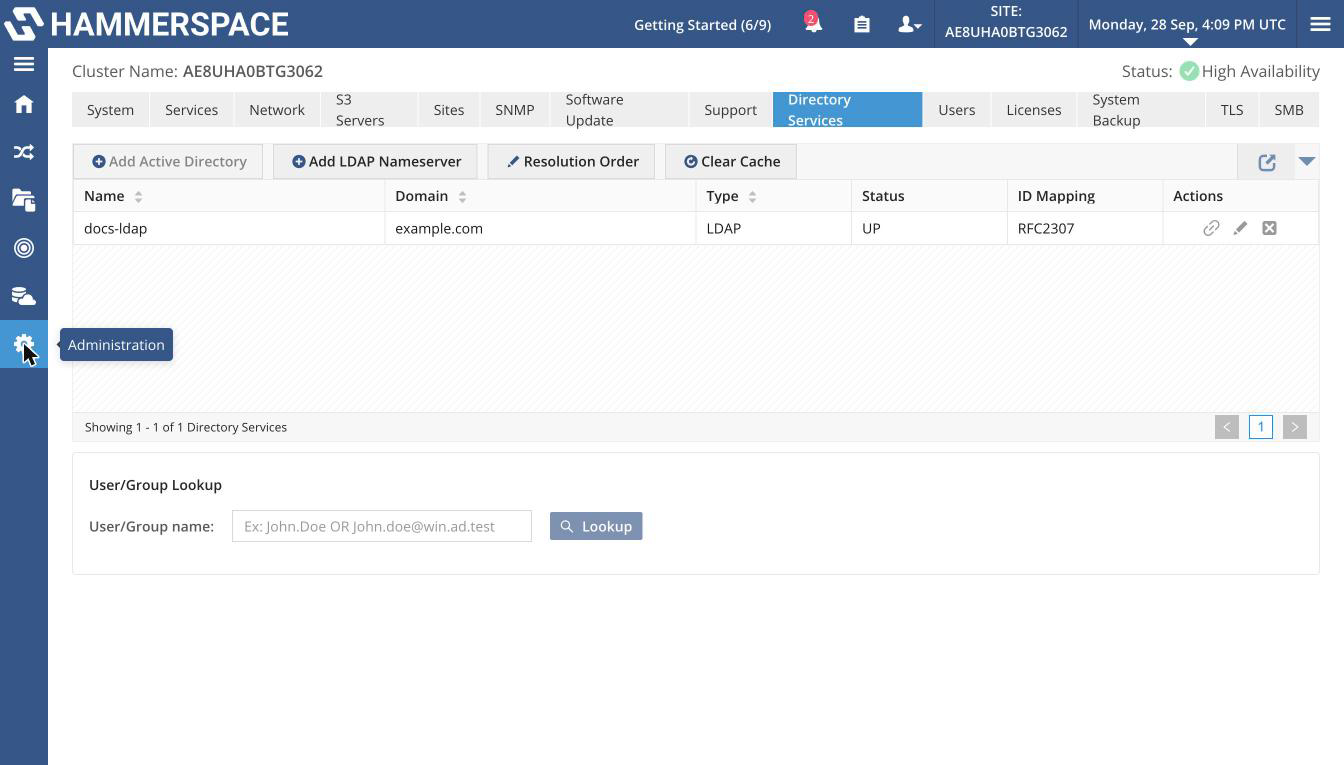
The Actions column has three icons for an LDAP name service: Test Connection, Edit, and Delete.
Using the Admin CLI
name-service-config --listExpected output:
total 1
ID:                      1b22171b-aaa0-444e-a866-c30bc0ab26c3
Internal ID:             46
Name:                    docs-ldap
Type:                    LDAP
Domain:                  example.com
Resolution order:        0
Oper state:              Up
Addresses:               [192.0.2.33:389]
Transport mode:          STARTTLS
Schema:                  RFC2307
Search base:             dc=example,dc=com
Running name-service-config with no operation also lists the name services.
The list shows the name services in resolution order. Each entry shows ID (UUID), Internal ID, Name, Type, Domain, Resolution order (starting at 0 for the name service that is queried first), Oper state (UP or DOWN), Addresses, Transport mode, Schema, Search base, and Bind DN. The bind secret is never shown.
To show one name service, add --name, --id, or --internal-id:
name-service-config --list --name <name>