Testing the Connection to a Name Service
You can rerun the connection test for a name service that is already configured, for example after a network or server change, instead of waiting for the scheduled health check. The test uses the saved address, port, transport mode, search base, and Bind DN and secret. It does not change the name service or its Status. For a name service with more than one address, the test passes if any one address works.
The connection test does not check whether an LDAPS or StartTLS certificate is trusted; see Securing LDAP Connections with LDAPS or StartTLS. To check the full lookup path, also look up a user as described in Verifying the Configuration (User/Group Lookup).
Using the GUI
-
Go to .
-
In the Actions column of the LDAP name service, click the Test Connection icon (the first icon).
The Test Connection dialog shows the result, for example
Success: Search (STARTTLS) base='dc=corp,dc=example,dc=com' on ldap1.corp.example.com at 10.0.0.15:389 was successful, or the reason the test failed. When the address is an IP address, the message has noat <IP address>part.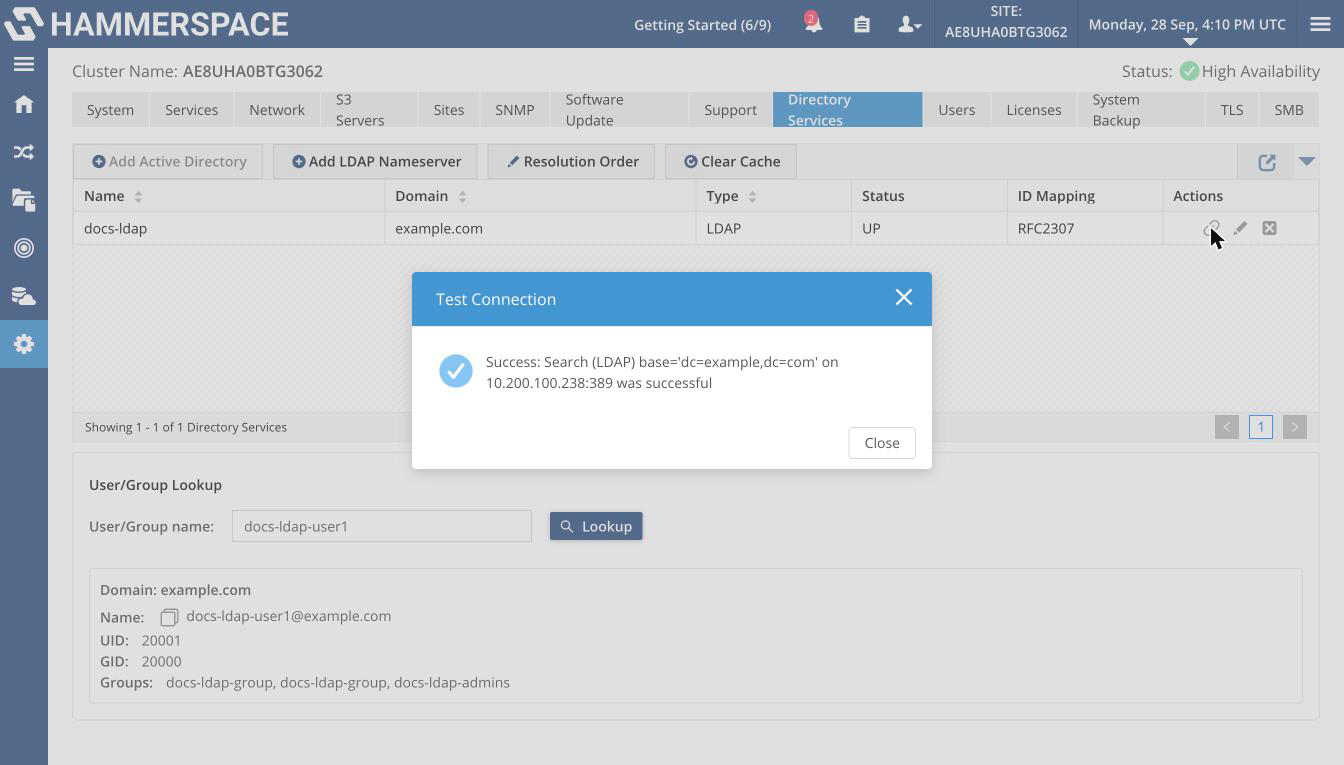 Figure 1. A successful connection test
For a name service with more than one address, the message names only the first address that answered.
-
Click Close.
Using the Admin CLI
Test one name service by its management name, UUID, or internal ID:
name-service-config --test-connect <name>Expected output (the name service’s details; there is no separate success line):
ID:                      83be2e59-2417-4e6d-bf52-083329bde415
Internal ID:             53
Name:                    docs-ldap
Type:                    LDAP
Domain:                  example.com
Resolution order:        0
Oper state:              Up
Addresses:               [192.0.2.33:389]
Transport mode:          STARTTLS
Schema:                  RFC2307
Search base:             dc=example,dc=com
To test several, give a comma-separated list. All identifiers in the list must be of the same type (all names, all UUIDs, or all internal IDs):
name-service-config --test-connect <name1>,<name2>If every test fails, the command fails with one line per address and transport mode tried, for example Failed to connect to LDAP server 'corp.example.com' using address 'ldap1.corp.example.com' with transport mode STARTTLS.